
The Remote Work Skills That Actually Decide Whether You Get Hired or Fired
Remote work sounds simple until your first month goes sideways. A 2026 Buffer survey found 32% of remote managers say the biggest challenge is not tech—it's collaboration and communication breakdowns. And on the job-hunting side, a FlexJobs report showed that 67% of remote job postings now actively test for specific skills like written clarity and asynchronous communication. The uncomfortable truth: the skills that make you succeed remotely are not the ones on your degree. This guide breaks down the exact skills, how to prove them in an interview, and which tools signal you already operate like a remote pro.
What Remote Recruiters Actually Screen For
When a recruiter opens your remote application, they are not looking for "team player" buzzwords. They scan for evidence of four capabilities that remote failure almost always traces back to: self-management, written precision, asynchronous collaboration, and digital tool fluency. A 2023 survey from Owl Labs reported that 58% of remote teams point to unclear expectations as the top cause of dropped tasks, and nearly every one of those can be traced to weak written communication or poor task ownership.
Here is the practical checklist recruiters report using when they evaluate remote candidates:
- Self-directed progress: Did you track your own deliverables without waiting to be asked? Evidence: project updates you initiate, shared docs you maintain, timelines you own.
- Written clarity: Can you write a decision memo, a status update, or a bug report that a colleague across 12 time zones can act on without a follow-up call?
- Asynchronous habits: Do you record decisions, document processes, and avoid blocking others on your availability?
- Tool fluency: Are you comfortable owning a channel in Slack, a doc in Google Workspace, or an issue board in Jira without a setup walkthrough?
If you are preparing to prove these in front of a hiring manager, the concrete questions and sample answers belong in our dedicated guide on remote job interview preparation, which walks through behavioral answers that land remote offers.
Written Communication: The Skill That Replaces Watercooler Talk
In an office, you clarify a vague email by walking over. Remotely, that walk is a whole flight or a half-day delay. Remote teams run on writing: PRDs, Slack threads, meeting notes, Loom walkthroughs. The skill is not "writing well" generally; it is writing for asynchronous consumption—short context, clear ask, explicit next step.
A useful structure many senior remote engineers and PMs adopt is the "Context-Action-Ask" pattern:
- Context: One or two sentences on the situation a reader may have missed.
- Action: What you already did or decided.
- Ask: One specific question or decision you need, with a deadline.
This sounds trivial until you start auditing your own messages. Most ambiguous threads fail because the writer buried the ask or never stated it. If you sharpen this habit, you remove most of the "do you have a minute?" calls that remote leaders count as noise.
Async Collaboration: Working Across Time Zones Without Chaos
Asynchronous work means getting things done when everyone is not online at once. It is a muscle, not a mandate to never call anyone. The best remote teams are async by default and synchronous only when the cost of writing outweighs a short call. The skill stack here includes writing meeting agendas in advance, recording decisions, and using shared documents as the source of truth instead of chat history.
Concretely, you can demonstrate async maturity by doing three things in your current role:
- Posting a written update before a meeting so attendees can read and comment ahead of time.
- Turning every decision your team makes into a short note in a shared doc with a date and owner.
- Reviewing comments and docs before replying, so your response reflects what has already been decided.
Teams that master this reduce rework dramatically. GitLab, an all-remote company, publishes its handbook publicly and requires that any process worth doing exists in writing—not in someone's memory. That is the standard remote skills are judged against.
The Remote Toolkit You Should Already Own
Tool fluency is not about knowing every app—it is about knowing which tool solves which problem, and being able to pick it up fast. When a remote interviewer asks what tools you use, they are really asking whether you understand the division of labor between live communication, written collaboration, project tracking, and file management. Here is the practical breakdown with real names and real price points.
| Platform / Tool | Key Features | Pricing |
|---|---|---|
| Slack | Channels, threads, huddles for quick voice, workflow automations | Free plan with paid Pro at $7.25/user/month billed annually |
| Google Workspace | Docs, Sheets, Meet, shared Drive with real-time collaboration | Starter at $6/user/month (Standard $12/user/month) |
| Notion | Docs, databases, wikis, project boards in one workspace | Free Personal plan; Plus from $10/user/month billed annually |
| Zoom | Video meetings, breakout rooms, recording and transcripts | Free Basic with 40-min group limit; Pro from $14.99/month per host |
| Loom | Async screen recordings with comments and reactions | Free plan with starter limits; Business from $12.50/user/month billed annually |
| Asana | Task lists, timelines, workload views, portfolios | Free Basic for up to 10 users; Premium from $10.99/user/month |
The move most remote decision-makers notice is when you explain why you would choose a tool, not just that you have used it. Saying "I'd use a Loom for a bug walkthrough since the video is easier than three screenshots" demonstrates the judgment that tool lists on a résumé can never convey. For a deeper look at which collaboration apps actually hold up under daily remote load, see our breakdown of and the earlier .
Time Zone Management and Meeting Hygiene
Remote teams in different countries live in different hours. The skill is not "being available 24/7"—that is a burnout trap. The skill is overlap design: knowing the hours when your team is most alive, protecting focus blocks, and pushing routine updates to async so that the overlap is spent on decisions, not status.
Practical rules that work:
- Define a core overlap window (for example, 3 hours) when everyone can reach each other.
- Record meetings, but also write the decision summary so the recording is optional.
- Set a clear "focus time" on your calendar and defend it.
- Communicate your working hours in your profile so nobody pings you at 1 a.m.
If this feels like a lot of process, remember the cost of getting it wrong: a 2023 report from the data platform Startup Snapshot found that 40% of remote workers cite "not knowing when someone is available" as a top frustration. That single metric explains why time zone etiquette is a hireable remote skill.
Self-Management: Working Without Someone Watching
The hardest remote skill has nothing to do with screens. It is the ability to produce output with nobody physically present to nudge you. That means you need personal systems: a task list that reflects reality, daily priorities, and the discipline to shut down a browser tab you are not using. HR leaders who hire remote consistently say they look for evidence of "ownership"—people who pick up a thread and drive it to done without being chased.
Three behaviors signal self-management in an interview or early in a role. If you are asking which of these to strengthen first, the answer is usually the one your last manager did not have to remind you about. Building these as durable habits pairs naturally with a broader review of job-readiness, since the same ownership signals are what carry you through the algorithmic and behavioral rounds outlined in the core interview preparation guide.
- You can describe your week's top three priorities and tie them to team goals.
- You flag risks or blockers early, in writing, with a proposed fix.
- You keep your own status updated without being reminded.
If you want a structured way to build these habits, our guide on covers the daily workflow apps that keep distributed teams aligned, and it pairs well with the interview strategies above.
Remote-Specific Interview Questions to Expect
Remote interviews have shifted from "tell me about yourself" to questions that probe how you handle distance. Expect variations of these, and prepare specific stories:
- "Tell me about a time you resolved a misunderstanding in writing."
- "How do you stay visible and accountable when your manager is in another time zone?"
- "Walk me through how you would onboard yourself to a new remote team in your first week."
- "What tools would you set up first for a new distributed project, and why?"
Each of these is a trap for people who improvise. Prepare a story with a clear problem, action, and measurable result, and connect the tool choices you made to the outcome. The full set of structured answers and frameworks lives in our remote job interview preparation guide, which is built specifically around these asynchronous and self-management scenarios.
How to Prove Remote Skills on a Résumé
Résumés usually list tools under "Skills," but that tells a recruiter little. What moves the needle is writing your experience so the remote elements are visible as outcomes. Instead of "Used Slack and Zoom," write "Coordinated a 12-person distributed team across 4 time zones, reducing weekly status calls from 5 to 2 by moving updates to shared docs." Replaced abstract claims with numbers and with the specific remote behaviors you applied.
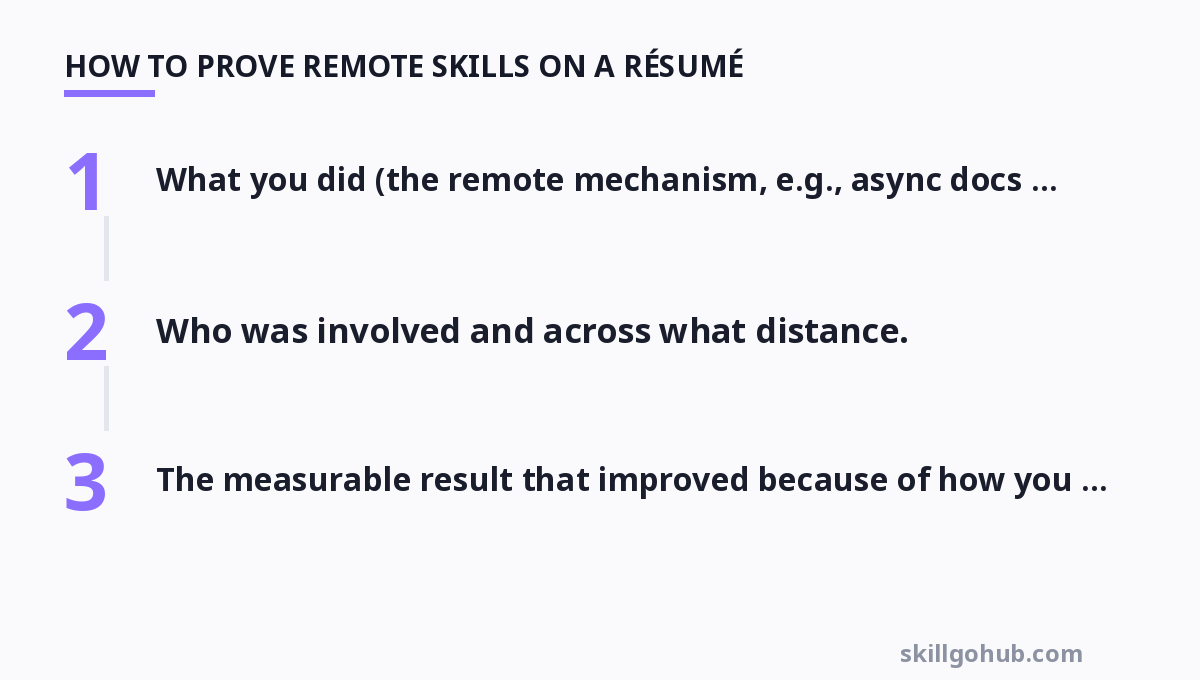
A proven structure for each bullet:
- What you did (the remote mechanism, e.g., async docs, recording, kanban board).
- Who was involved and across what distance.
- The measurable result that improved because of how you worked.
Building Your Remote Career Starting Today
You do not need to wait for a remote job to start practicing. Set up a personal Kanban board, write your own weekly plan in a shared doc, record at least one 2-minute async video update a week, and audit your own messages against the Context-Action-Ask pattern. In thirty days you will have a portfolio of self-directed, async work you can show. That portfolio, more than any certificate, is what remote hiring managers trust.
For more, check out: .
For more, check out: , leadership skills and design skills.
How should I answer "how do you handle distractions while working from home?"
Skate past the generic answer. Name a concrete system: for example, "I use the Pomodoro technique with a 25/5 split, keep all notifications off except my dedicated Slack channel, and time-block deep work in the mornings before my team's core hours. Last month I tracked 22 hours of focused work a week, and my pull-request review turnaround dropped from two days to under four hours." The specific numbers and tool references are what distance you from every other candidate.
Do remote jobs really require experience with specific tools, or is that a wish list?
For senior roles, tool fluency is often a hard screen because onboarding a new person who has never used the stack costs real time. For junior roles, tools are usually teachable, but you should still be able to explain the role of each kind of tool (live chat, docs, video, project tracking) and pick up unfamiliar ones fast. Knowing the current version and price point of each tool you list shows you use it, not just that you saw it in a login screen.
Is async communication harder to learn than it sounds?
Yes, and it is the most underrated skill. The habits are simple in theory but require you to unlearn the office reflex of just asking aloud. Practicing the Context-Action-Ask structure for a month is the single fastest way to improve. Written clarity compounds: bad process writing causes the same questions to be re-asked for months.
What is the one skill that gets remote workers promoted most often?
Visibility through written output. The people promoted remotely are not necessarily the loudest in calls; they are the ones who document decisions, publish clear updates, and make their contributions legible in shared docs. A manager across three time zones can only promote what they can see, and what they can see is what is written down and shared proactively.
Should I turn on my camera for every remote meeting?
No—video should be a tool, not a performance. Many remote leaders prefer camera-on for small decision meetings and collaborative sessions, but a fixed policy of "camera always on" is often counterproductive and exhausting. The skill is reading the room: turn on video when it adds trust or feedback, and normalize async video updates instead of forcing long live meetings for content a recording could deliver.
Get one practical tool tip a week
Short, useful, no spam. Unsubscribe anytime.