
You wake up Monday morning and react. Emails pour in, Slack messages pile up, meetings appear on your calendar, and colleagues pop by with "quick questions." By Friday, you are exhausted and wonder why you did not make any progress on the things that actually matter to your career and your life. The problem is not a lack of hard work or discipline. The problem is that you are running on everyone else's agenda. The fix is a planning system — a 10-minute Sunday ritual that defines exactly what success looks like for the coming week.
This system is used by executives, entrepreneurs, and top performers across every industry. Not because they have more willpower than you, but because they have a better system. A system that forces prioritization, protects deep work, and ensures that the important does not get sacrificed for the urgent. Here is the core of that system, learnable in three minutes.
Most productivity advice is reactionary. You wake up, check your calendar, and let the day’s emergencies dictate your focus. A weekly planning system flips that dynamic. Instead of being a passenger in your own schedule, you become the architect. This isn’t about color-coded bullet journals or rigid time-blocking dogma; it’s about building a repeatable workflow that clears mental clutter and prioritizes what actually moves the needle.
Below, we break down the anatomy of an effective weekly review, compare the top software tools with real pricing, and answer the questions that keep most people from committing to the process.
Why a Weekly Planning System Beats Daily To-Do Lists
Daily to-do lists are tactical. They tell you what to do but rarely why you are doing it. A weekly planning system provides the strategic layer that daily lists lack. By stepping back for 30–60 minutes once a week, you align your daily actions with your broader goals. This prevents the "busy but unproductive" trap where you complete 20 tasks that don't contribute to your career or personal growth.
Furthermore, a weekly review reduces decision fatigue. When you plan on Monday morning, you are making dozens of micro-decisions at once. By Tuesday afternoon, you don't waste cognitive energy asking, "What should I do next?" You already know. This system also creates a natural feedback loop. If you consistently fail to complete a task, you can either break it down into smaller steps or admit it’s not a priority and delete it.
If you are looking to build a new skill but keep running out of time, a weekly plan is the only way to force those Micro Learning Science 15 Minute Skills into your calendar. Without a designated slot, that 15-minute practice session will always lose to urgent emails.
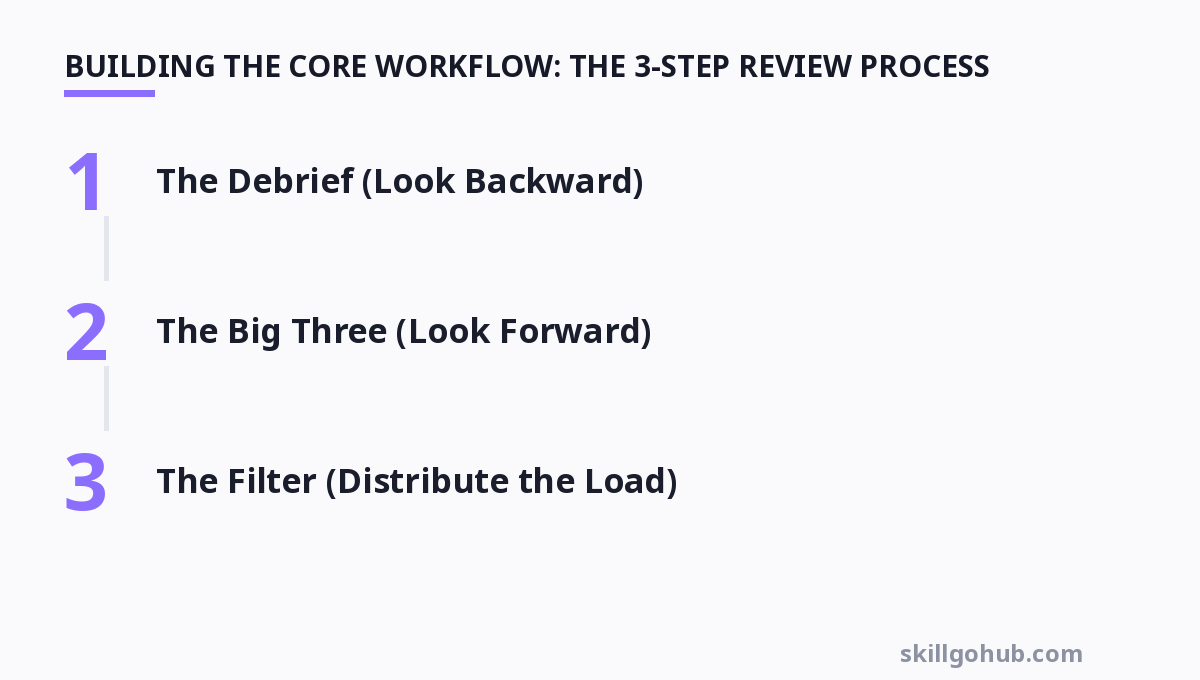
Building the Core Workflow: The 3-Step Review Process
There is no single "correct" way to plan your week, but the most effective systems share a common architecture. You need to look backward, forward, and then filter.
For more, check out: top 10 productivity tools to boost your workflow in 2026 and goal planning framework.
Step 1: The Debrief (Look Backward)
Before you plan next week, close the loop on the current one. Open your task manager and calendar. Ask yourself three questions:
- What did I complete? Acknowledge the wins. This builds momentum.
- What is still open? These are your "carry-over" tasks. They need to be re-evaluated, not automatically moved.
- What blocked me? Identify the bottleneck. Was it a lack of information, a waiting dependency, or simple procrastination?
Step 2: The Big Three (Look Forward)
Don't try to plan 20 tasks. That is a wishlist, not a plan. Select three "must-win" outcomes for the week. These are the tasks that, if completed, make the week a success regardless of what else happens. Write them down in a physical notebook or a dedicated note on your phone.
Step 3: The Filter (Distribute the Load)
Take the carry-over tasks and the rest of your backlog. Assign them to specific days. Be realistic about your energy levels. If you have deep work on Monday morning, schedule your hardest task then. If you have back-to-back meetings on Thursday, don't plan a writing sprint for that afternoon. If a task has no deadline and you keep postponing it, ask if you should actually do it at all.
Digital vs. Analog: Choosing Your Planning Medium
The best system is the one you will actually use. However, the medium influences the method.
Analog (Paper): Writing by hand forces you to be concise. It is slower, which is actually a benefit—it forces you to think. There are no notifications, no badge icons, and no app switching. The downside is the lack of search and the inability to set reminders. It is also easy to lose a notebook.
Digital (Apps): Digital tools offer speed, searchability, and automation. You can create recurring tasks, set due dates, and attach files. The downside is the "inbox trap"—you end up collecting tasks instead of planning them. To succeed with digital, you must be disciplined about the weekly review. Otherwise, your task manager becomes a graveyard of overdue reminders.
Many high performers use a hybrid approach: paper for the thinking (the Big Three) and digital for the execution (the calendar and reminders).
Comparing the Best Weekly Planning Tools (2026 Pricing)
To give you a clear picture of the market, here is a comparison of five popular tools. These are not ranked; they serve different purposes.
| Tool | Best For | Key Feature | Pricing | Honest Limitation |
|---|---|---|---|---|
| Todoist | Simple task management | Natural language input (type "Every Mon" to set recurring) | Free; Pro $4/month (annual) | No built-in calendar view; weak for time-blocking |
| ClickUp | All-in-one workspace | Custom views (List, Board, Calendar, Gantt) | Free; Unlimited $7/month (annual) | Steep learning curve; can be overwhelming |
| Notion | Custom database planning | Flexible templates for weekly reviews | Free; Plus $10/month (annual) | Requires setup; no offline mode on mobile |
| Sunsama | Daily planning & time-blocking | Drag-and-drop calendar integration (Google/Outlook) | Free trial; $20/month (annual) | Expensive; overkill if you don't need time-blocking |
| Google Calendar | Time-based scheduling | Universal integration and sharing | Free for personal; Business $6/user/month | Terrible for task management; no "checkboxes" |
Note: Prices reflect standard billing cycles as of late 2026 and are subject to change.
If you are a student or professional who relies on memorization, pairing your planning tool with a Flashcard Tools strategy can help you retain the key outcomes you set for the week. Review your "Big Three" every morning like a flashcard to keep them top-of-mind.
Time-Blocking: The Execution Engine
A weekly plan is just a list of intentions until you assign time to it. This is where time-blocking comes in. During your weekly review, look at your calendar and physically drag your tasks onto specific days and hours. This turns a "To-Do" into a "Do-This-At-This-Time."
How to do it effectively:
- Block for Deep Work: Reserve 2-3 hours for your most important task. Treat this block like a meeting with a client—do not let anyone interrupt it.
- Block for Admin: Schedule a 30-minute slot on Friday for clearing your inbox and updating your CRM. This prevents "task-switching" throughout the week.
- Block for Planning: Schedule your weekly review for Friday afternoon (to close the week) or Sunday evening (to prepare).
Be honest about your time. If you are a consultant with 30 client meetings, you cannot block 4 hours of deep work on Tuesday. You must work around your commitments. The goal is not to fill every minute, but to ensure that your "Big Three" get a dedicated slot on the calendar.
Overcoming the Three Most Common Roadblocks
Even with a great system, you will hit walls. Here is how to handle the most common issues.
Roadblock 1: "I Don't Have Time to Plan"
You don't have time not to plan. A 45-minute planning session saves you 3-4 hours of "figuring it out" during the week. If you are short on time, reduce the scope. Spend 15 minutes on the "Debrief" and "Big Three" steps only. Skip the detailed time-blocking for one week and see if you still get more done than usual.
Roadblock 2: "My Schedule Changes Constantly"
This is the most common excuse. If you work in a reactive role (support, emergency response), you can't plan the deep work. Instead, plan your boundaries. Plan what you will do during your breaks. Plan what you will do in the first hour of the day before the chaos starts. Even a loose plan beats no plan.
Roadblock 3: "I Keep Missing My Deadlines"
This usually means you are over-committing. If you consistently fail to complete your "Big Three," you are either setting them too large, or you are not protecting your time. Break the task down. Instead of "Write Report," schedule "Write Outline" for Monday and "Write Draft" for Tuesday. Smaller tasks are easier to start and finish.
For those who struggle with the confidence to say "no" to interruptions, building assertiveness is key. Improving your Public Speaking Confidence can actually help here, as it trains you to communicate your boundaries clearly and hold your ground when colleagues try to derail your schedule.
Weekly Planning FAQ
Q: What is the best day to do a weekly review?
A: Friday afternoon is ideal for professionals. It allows you to "close the loop" on the current week and clear your head for the weekend. If you find yourself too tired on Friday, Sunday evening works well to set the stage for Monday, but it can cause "Sunday Scaries" if you don't also schedule relaxation time.
Q: How long should a weekly planning session take?
A: For a single person managing a personal schedule, 30–45 minutes is sufficient. For a team lead or manager with multiple projects, allocate 60–90 minutes. If you spend more than 90 minutes, you are likely over-engineering the system (creating sub-tasks for things that don't need them).
Q: Should I plan every hour of the day?
A: No. That is a recipe for burnout. You should plan tasks, not your entire existence. Leave buffer time (30-60 minutes) between blocks for unexpected requests, bathroom breaks, and context switching. A plan that accounts for 60-70% of your day is realistic.
Q: What is the difference between a weekly plan and a sprint plan (Agile)?
A: A weekly plan is personal—it focuses on your tasks and energy levels. A sprint plan is a team-based framework for delivering a specific project increment. You can use a weekly planning system to organize your personal contribution to a sprint, but the sprint itself has ceremonies (retrospectives, demos) that are irrelevant to personal productivity.
Q: Can I use a weekly planning system for personal goals (fitness, hobbies)?
A: Absolutely. The system is agnostic. You can set a "Big Three" that includes "Go to the gym on Tuesday/Thursday" and "Read 20 pages of a book." The key is to treat these with the same importance as work tasks. If you don't schedule them, they won't happen.
Ultimately, a weekly planning system is a commitment to yourself. It is a promise that you will spend your time on purpose, not by accident. Start small. Pick one tool from the table above, schedule your first 30-minute review, and define your Big Three. The act of planning is often more valuable than the plan itself—it forces you to think critically about your priorities.
Get one practical tool tip a week
Short, useful, no spam. Unsubscribe anytime.